
Turn Approved Hours Into a Cleaner Payroll Process
CrewCard payroll and pay rates software helps labour hire, staffing and shift-based teams keep approved hours, pay rates and payroll information connected in one workforce workflow.
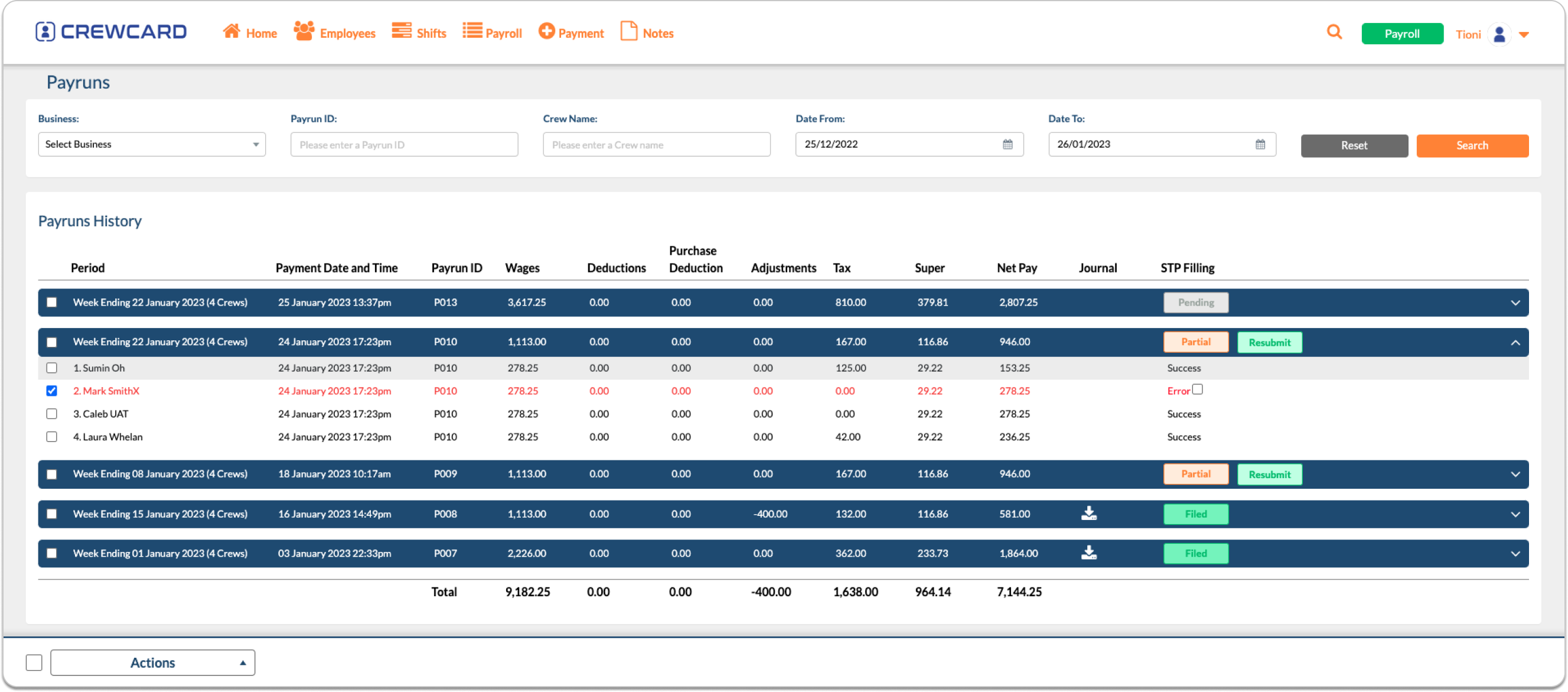
Move From Worked Hours to Payroll Without Rebuilding the Same Data
Keep the payroll process connected to the workforce records already used for jobs, shifts and approved hours.

Approve Hours
Start from worked hours that have moved through your approval process.

Apply Pay Rates
Keep rate categories and payroll information connected to worker records.

Review Payroll Inputs
Work with earnings, allowances, deductions and other payroll setup information.

Process STP Payroll
Use CrewCard's payroll workflow for Single Touch Payroll processing.

Prepare Banking
Support payroll banking workflows including ABA file preparation.

Keep Rates and Payroll Information Connected to Your Workforce
Payroll is easier to manage when worker details, approved hours and the related rate information stay connected instead of being rebuilt in separate systems.

Maintain the payroll information used for different types of work and earnings.

Carry the payroll process forward from the hours already reviewed by your team.

Reduce repeated data entry between rostering, timesheets and payroll administration.
Bring the Main Payroll Settings Into One Setup
CrewCard payroll onboarding can capture the information needed to configure the payroll process around your organisation.

Pay Frequency & Earnings
Set up the payroll frequency and earnings information used by your organisation.

Allowances
Capture allowance categories and the supporting information required for payroll setup.

Leave & Super
Keep leave and superannuation setup information connected with the payroll configuration.

Deductions
Configure the deduction information required for your payroll workflow.

Income Types
Record the income types used as part of payroll setup and reporting.

Banking & ABA
Set up the banking information used to support ABA payment file workflows.
Move Payroll Forward From Approved Workforce Data
Keep STP Payroll Inside the Same Workforce Process
CrewCard supports STP payroll as a separate payroll module, helping teams continue from workforce records and approved hours into payroll.
Keep the payroll process connected to the same records used before payday.
Manage Single Touch Payroll within the CrewCard payroll workflow.
Bring pay frequency, earnings, allowances, super, deductions and income types together.
Connect Payroll With the Tools Used After Hours Are Approved
CrewCard can support the next steps around payroll banking and accounting so approved workforce information does not have to stop at the timesheet stage.
Explore Workforce Integrations →ABA Files
Support payroll payment preparation through ABA banking file workflows.
Ask About Payroll Setup →Xero Integration
Connect CrewCard with Xero where your payroll or accounting workflow requires it.
View Xero Integration →Common Questions About CrewCard Payroll & Pay Rates
Is payroll included in the standard CrewCard subscription?
STP Payroll is available as a separate CrewCard payroll module. Visit the pricing page or speak with the CrewCard team for current payroll pricing.
Can payroll continue from approved timesheet hours?
CrewCard is designed as a connected workforce workflow, so approved hours can continue into the payroll process without rebuilding the same worker and shift information from scratch.
What payroll setup information can be captured?
Payroll onboarding can cover pay frequency, earnings, allowances, leave, superannuation, deductions, income types, banking and related setup information.
Does CrewCard support ABA banking files?
CrewCard payroll setup includes banking and ABA workflows to support payroll payment preparation.
Can CrewCard connect with Xero?
CrewCard supports Xero integration. The exact setup depends on your existing payroll and accounting workflow.
See How CrewCard Can Fit Your Payroll Workflow
Show us how you currently manage approved hours, pay rates and payroll. We can walk you through how CrewCard connects those steps for your team.