
Warehousing & Logistics Workforce Software for Multi-Site Teams
Warehousing and logistics teams work across warehouses, depots, routes and field locations.
CrewCard keeps recruitment, worker records, availability, licences, scheduling, attendance, GPS-enabled workflows, timesheets, payroll and invoicing connected in one workforce system.
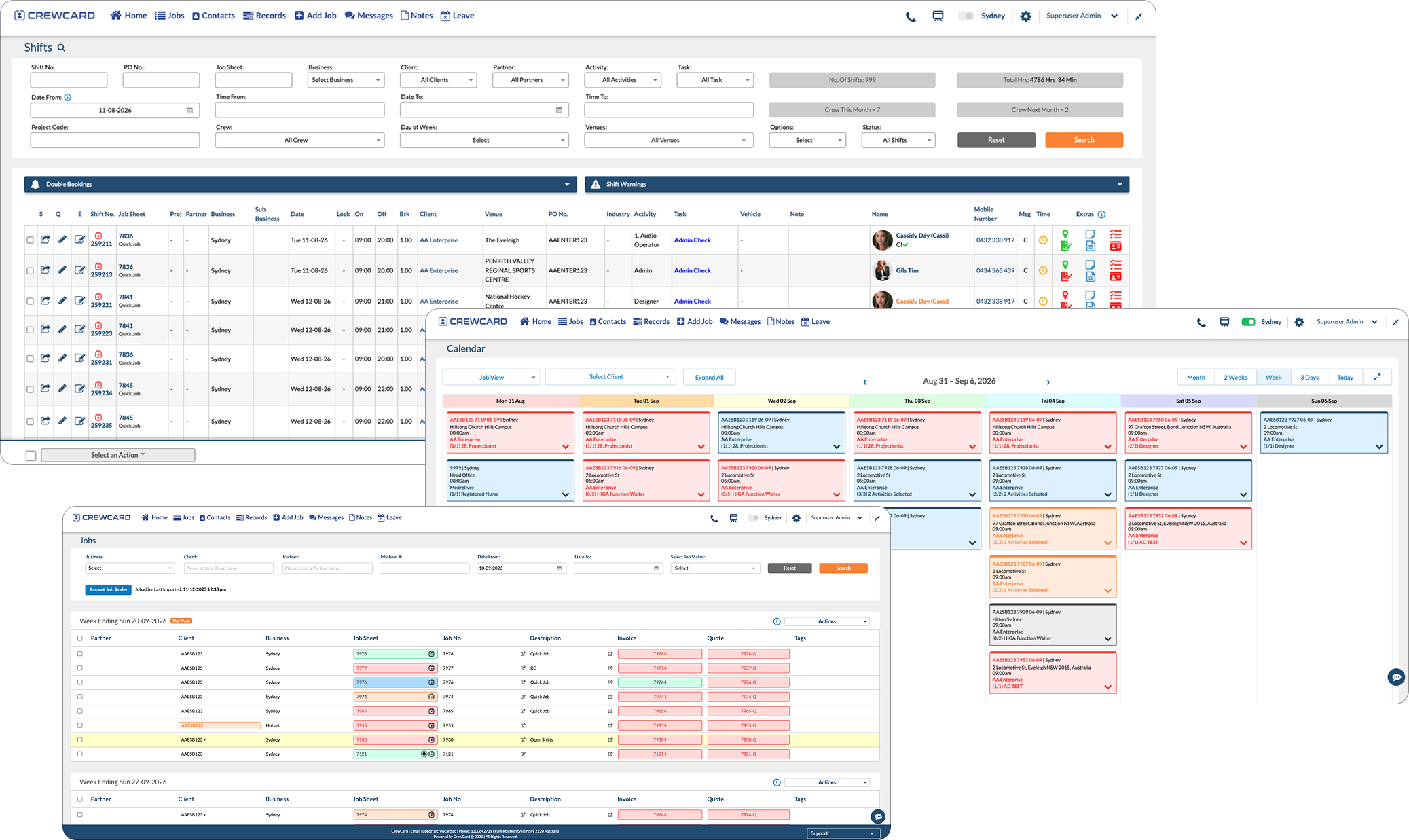
How Warehousing and Logistics Work Connects
Warehousing and logistics share the same workforce, but the day-to-day work is different. CrewCard lets both operations stay connected without forcing them into the same workflow.
Organise Warehouse Crews by Site, Role and Shift
Manage workers across receiving, put-away, picking, packing, dispatch and other warehouse activities.
Coordinate Drivers and Field Teams Across Locations
Keep drivers and mobile teams connected to the right depot, route, job, location and shift.
Warehousing and Logistics Workforce Pressures
Workforce demand changes by site, route, workload and time of day. CrewCard keeps the worker information behind each assignment visible.

Changing Shift Demand
Add or adjust shifts when inbound volume, dispatch demand, routes or staffing requirements change.
Multiple Sites & Depots
Keep workers connected to the correct client, warehouse, depot, job and shift.

Qualified Workers
Keep licences, certifications, training and expiry dates visible before role-specific work is assigned.

Attendance & Hours
Keep check-in, check-out and actual worked hours connected to the scheduled shift.

Short-Notice Updates
Keep workers updated through supported mobile app, email and SMS communication workflows.
Warehousing and Logistics Workflow from Demand to Approved Hours
Move from a staffing requirement to filled shifts and approved hours while keeping the same worker and job information connected.
Where CrewCard Fits Across the Operation
Different parts of the supply chain need different workers. CrewCard keeps the workforce process connected while each team keeps the information relevant to its work.
Receiving, Pick & Pack and Dispatch
Build shift coverage around workload without losing the worker, site or activity information behind the roster.
Forklift and Equipment-Qualified Workers
Keep worker qualifications and expiry dates visible before assigning work with specific licence requirements.
Drivers, Routes and Field Personnel
Coordinate workers whose shifts happen across depots, routes and customer locations instead of one fixed workplace.
High-Volume Shift Coverage
Manage large shift teams across busy periods while keeping worker availability and attendance visible.
Workers Across Warehouses and Depots
Keep staff connected to the correct business, site, project, job and shift as they move between locations.
Workers Across Multiple Clients
Manage labour supplied to different warehouse and logistics clients while keeping client jobs, rates, hours and invoicing connected.
One Workforce Platform Behind the Operation
CrewCard connects the workforce tasks that happen before, during and after the shift so information does not need to be rebuilt between systems.

Recruitment & Onboarding
Collect worker details and onboarding information before new staff move into active scheduling.
Compliance & Qualifications
Keep licences, certifications, training records and other required worker documents on the profile.
Scheduling & Availability
Build jobs and shifts around sites, roles, availability and changing operational demand.
Communication
Keep workers updated with supported app, email and SMS communication workflows.
Attendance, GPS & Timesheets
Support mobile attendance, location-based workflows and actual worked-hour records.

Payroll & Invoicing
Use approved shift data in downstream payroll and client invoicing workflows.
Know Who Is Ready for Role-Specific Work
Warehouses and logistics operations often rely on workers with licences, certifications or training requirements. CrewCard keeps those records visible on the worker profile so your team can review readiness before assignment.
For general warehouse traffic safety guidance, see the Safe Work Australia Traffic Management Guide for Warehousing .
Forklift & Equipment Roles
Keep role-specific licence information attached to the worker record.
See What Needs Renewal
Use expiry dates to identify records that need attention before future work.
Keep Training Records Together
Store relevant training and certification information with the worker.
Review Before Assignment
Keep required worker information visible when allocating role-specific shifts.
Shift & Job Details
Give workers access to relevant shift, location and job information from their device.
Check In & Check Out
Keep attendance connected to the scheduled shift and actual worked time.
GPS-Enabled Workflows
Support location-based workforce visibility for relevant logistics and field operations.
Roster Updates
Send workforce updates through supported app, email and SMS communication.
Keep Workers Connected When the Work Moves
Drivers and field teams may spend most of their shift away from a central office. CrewCard keeps job details, attendance and communication available through mobile workforce workflows.
Keep Worked Hours Connected After the Shift
Once hours are reviewed and approved, CrewCard can continue the same shift information into payroll and client invoicing workflows. That is especially useful for staffing agencies and multi-client warehouse operations.



Support the Teams Behind Warehousing and Logistics Operations
Give operations, site teams, payroll staff and workers access to the part of the workforce process they need.
Operations Managers
See workforce demand, jobs, shifts and staffing coverage across sites and teams.
Warehouse & Depot Managers
Keep workers, operational roles and attendance connected to the correct location.
Payroll & Administration
Review approved hours and keep payroll, client billing and worker records connected.
Warehouse, Driver & Field Teams
Receive shift details, access job information and use supported mobile workforce workflows.
Common Questions About CrewCard
Quick answers for warehouse, logistics and staffing businesses reviewing workforce management software.
Can CrewCard manage warehouse staff, drivers and field workers in one system?
Can CrewCard track forklift licences, certifications and training records?
Does CrewCard support GPS and mobile check-in for logistics teams?
Can CrewCard send roster changes to warehouse and logistics workers?
Can approved hours continue into payroll and invoicing?
Can staffing agencies manage multiple warehousing and logistics clients?
Show Us How Your Warehousing & Logistics Operation Runs
Whether you manage warehouse crews, forklift operators, drivers, field workers or labour across multiple clients, we’ll tailor the demo around your sites, shifts and workforce process.