
Client Management That Keeps Bookings and Workforce Information Connected
Client management in CrewCard brings client profiles, bookings, calendars, charge rates, notes and portal access into the same workforce system used to manage jobs and crew.


Client Profiles
Keep login details, contacts, app invitations, notes and client-specific information together.

Bookings & Calendar
Give clients access to relevant past and upcoming jobs and support client booking workflows.

Client Charge Rates
Store negotiated charge rates so the correct client pricing can be reflected in invoicing.

Client Users
Support client access and allow clients to add their own Project Managers for future use.
Client Management with Portal Access
CrewCard can provide clients with access to a branded client experience so they can work with their relevant bookings and workforce information without needing access to the full admin system.

Client Management for Bookings & Calendar
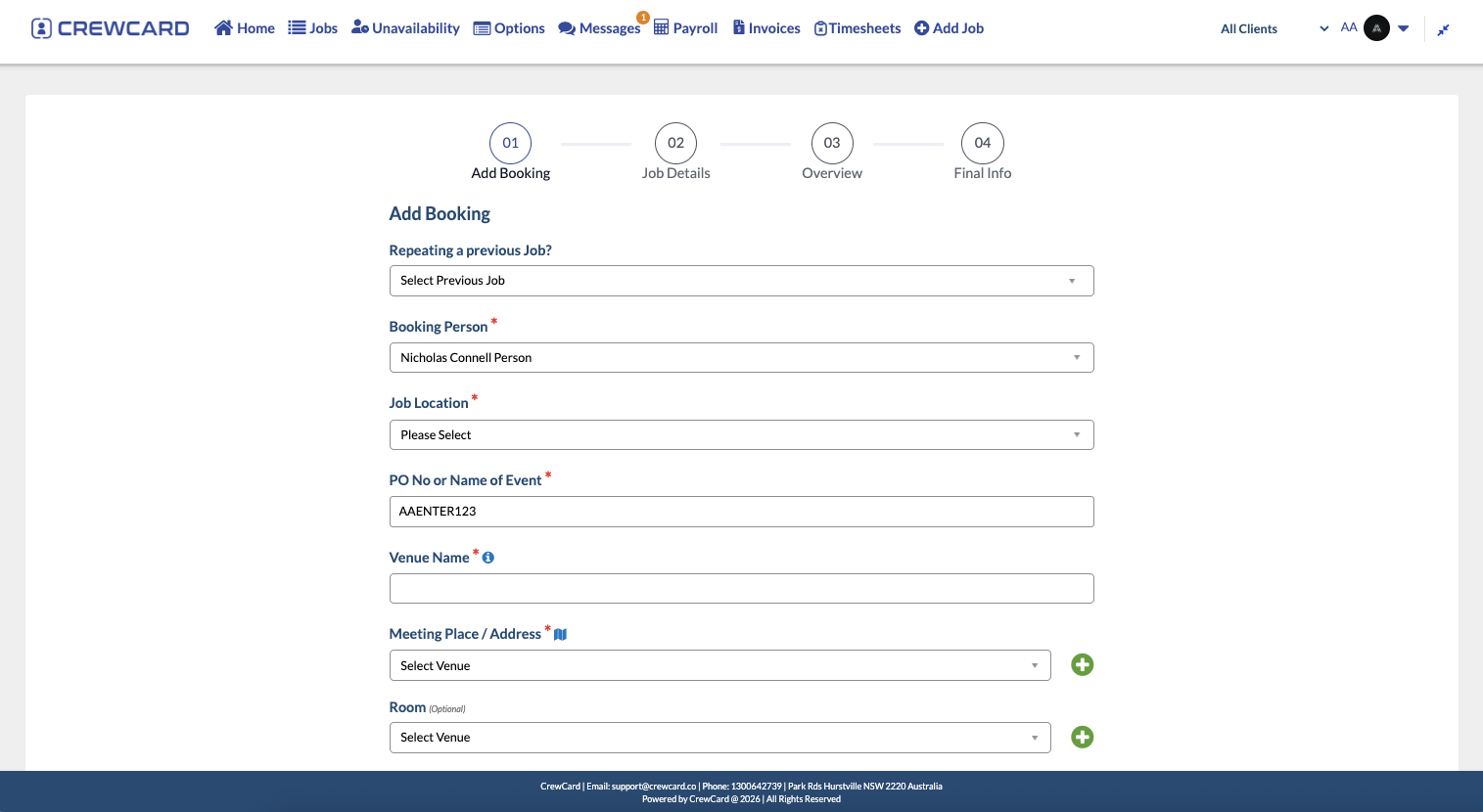
Keep client job activity close to the rest of your workforce operations. Clients can access relevant jobs through the calendar and, where enabled, make their own bookings through CrewCard.
Manage Client Bookings
Allow clients to submit their own bookings through the CrewCard system and keep the request connected to your operational workflow.
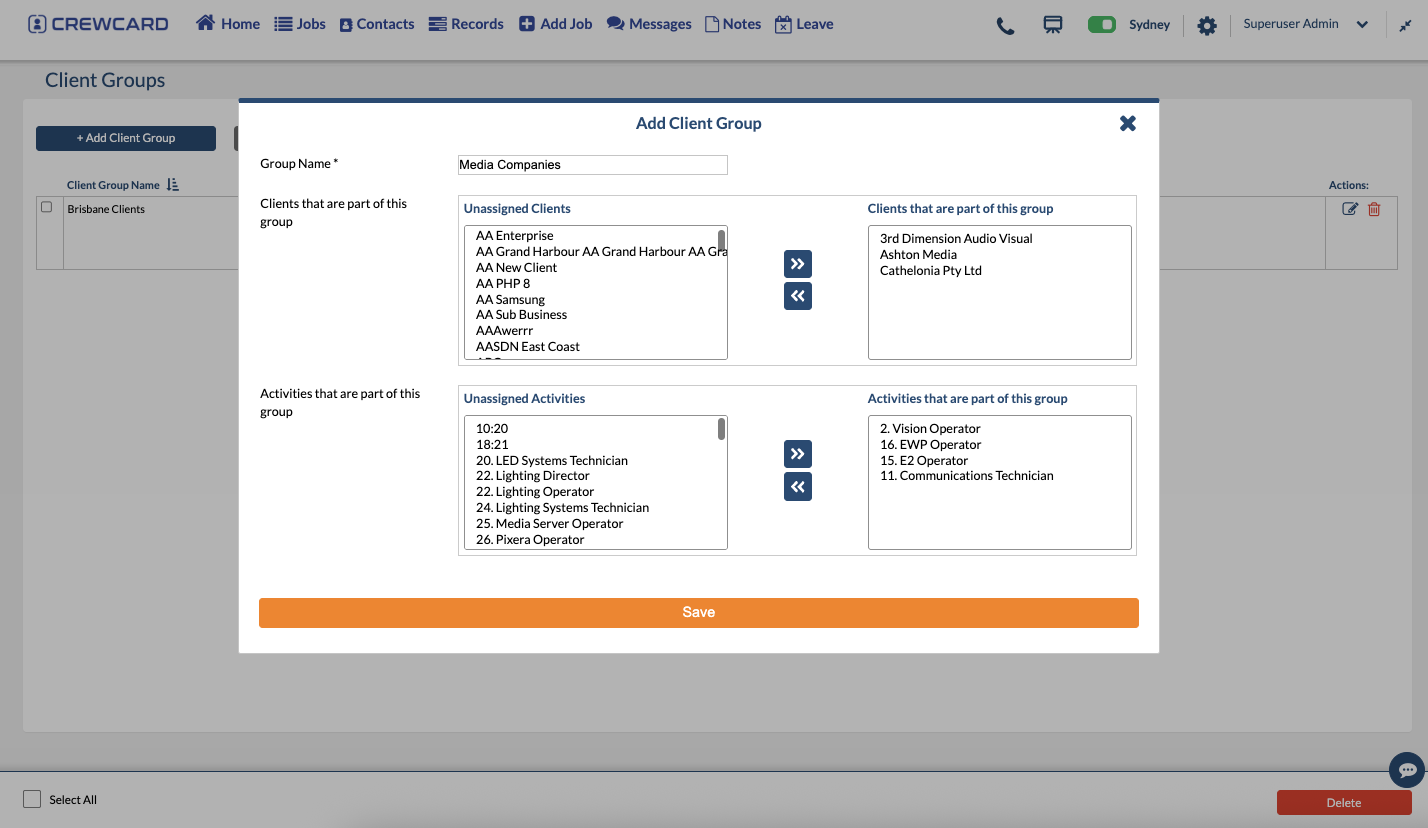
Organise Clients with Groups
Create client groups and allocate the relevant activities to suit the types of jobs they book.
Client Management Starts with a Complete Client Record
Each client can have its own CrewCard profile, giving your team a central place to maintain the information used when working with that client.

Custom Client Information
Maintain login details, app invitations, contact information and notes and update them when required.

Client Groups
Group clients and associate the activities that are relevant to the jobs they book.

Project Managers
Clients can add their own Project Managers to CrewCard so the contacts are available for future use.

See who is working where
Time and location information can be viewed together so relevant users can see where crew are working and understand workforce activity from one place.
Keep negotiated client charge rates connected to invoicing
Store the charge rates agreed with each client so invoices can reflect the correct negotiated pricing. This keeps client-specific commercial information close to the jobs and workforce activity that generate the invoice.




From client booking to completed work
Client management sits alongside the operational workflow so client requests, jobs, workforce activity and commercial information do not need to be managed as separate records.
Manage the Client
Maintain the client profile, contacts, groups, notes and relevant charge rates.
Create or Receive a Booking
Keep bookings and upcoming jobs visible through the CrewCard client workflow.
Schedule & Track Work
Manage the crew assigned to the job and view relevant workforce activity.
Continue to Invoicing
Use the client-specific charge information when moving completed work into invoicing.
Bring Client Management Closer to Your Workforce Workflow
See how CrewCard can help you manage client information, bookings, workforce visibility, charge rates and client access from the same platform.