
Construction Workforce Management Software for Trades & Labour Teams
CrewCard is construction workforce management software built for Australian teams coordinating workers across active sites, projects and changing job requirements.
Keep recruitment, licences and qualifications, scheduling, WHS workflows, attendance, timesheets, payroll and client billing connected in one workforce system.
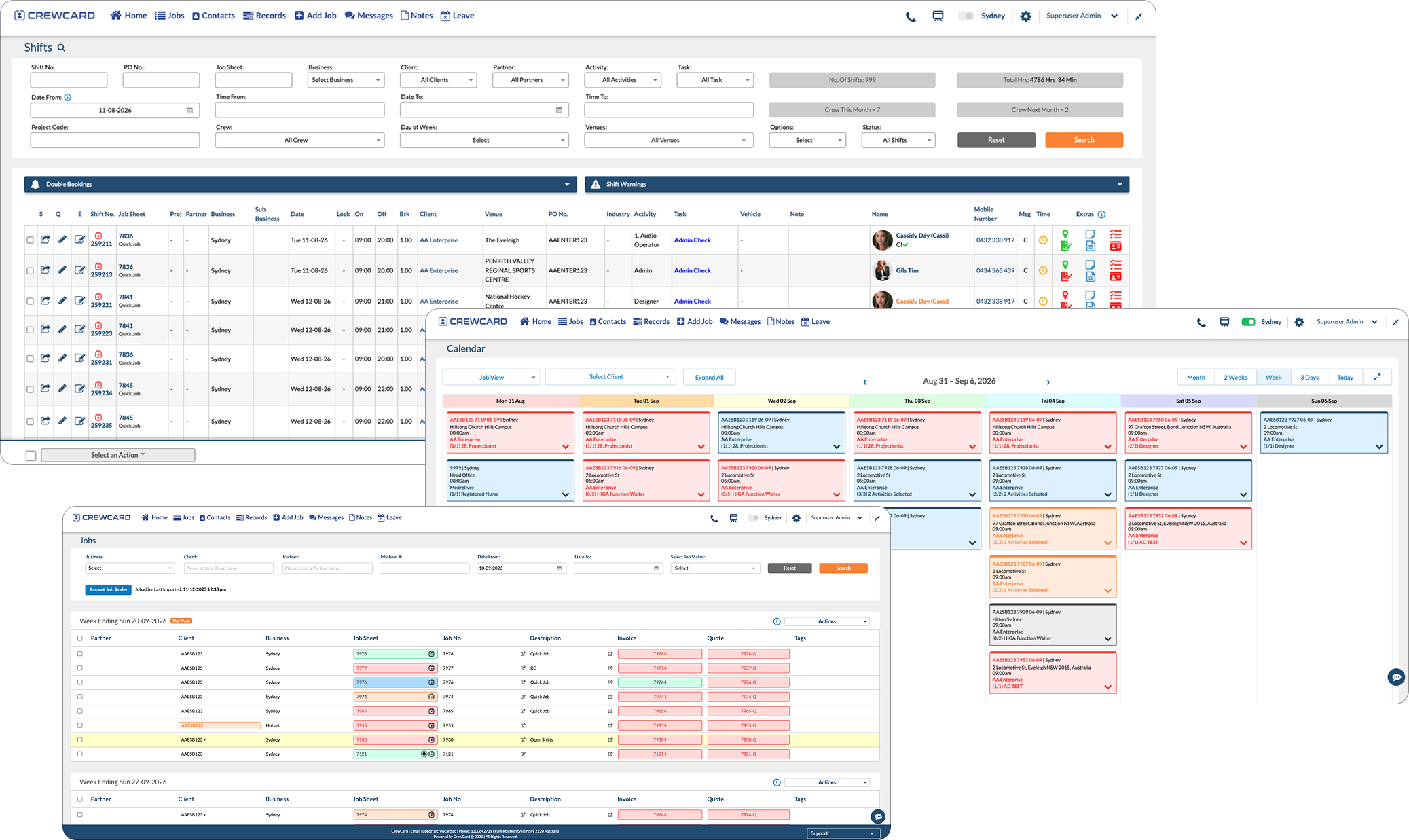
Keep the Right Workers Connected to the Right Site
Construction teams often move between projects, clients and locations while licences, inductions, skills and site requirements change. CrewCard keeps those workforce details connected.
Coordinate Workers Across Multiple Construction Sites
Plan labour requirements by site, job and shift while keeping availability and worker requirements visible to operations teams.
Match Workers to Skills, Tickets and Site Requirements
Keep workforce records tied to the worker profile so White Card details, trade licences, plant tickets, qualifications, inductions and training can be reviewed before assignment.
Manage the Workforce Challenges Behind Every Project
Construction and trade work can combine changing site access, project stages, safety obligations, specialised tickets, mobile crews and strict labour scheduling. CrewCard keeps the workforce side organised.

Project Scheduling
Build shifts around changing project dates, site times, activities and worker availability.

Tickets & Qualifications
Keep White Cards, licences, plant/operator tickets, trade qualifications, inductions and expiry dates visible before assignment.

Multiple Sites
Keep workers connected to the correct client, project, site, job and scheduled shift.

Attendance & Hours
Keep mobile check-in, location and worked hours connected to the correct site.

Fast Site Changes
Keep crews updated when start times, site access, meeting points, activities or roster requirements change.
From Site Requirements to Approved Labour Hours
Keep worker records, project assignments and actual hours connected from the original roster through to payroll and client billing.





Where CrewCard Fits Across Construction Workforces
Different projects require different trades, tickets, schedules and workforce processes. CrewCard keeps the people and hours connected across them.
Labour Across Active Project Sites
Coordinate labourers, trades assistants and skilled workers across commercial builds, fit-outs and changing project stages.
Teams Across Large and Changing Sites
Plan labour across infrastructure and civil work where access points, traffic conditions, plant requirements, activities and workforce needs change over time.
Recurring Trades and Site Support
Coordinate labourers, carpentry support, trade assistants and site crews across residential developments and staged construction programs.
Workers Across Multiple Construction Clients
Manage candidates and workers supplied to builders, subcontractors and project clients while keeping compliance, site allocation, hours and billing connected.
Short-Term Workforce Peaks
Coordinate larger temporary teams for shutdowns, maintenance windows, demolition support, fit-outs and other short-duration project peaks.
Keep Worker Records Connected to the Job
Maintain worker records alongside the project, site, trade/activity and shift where each person is required.
Keep Site Safety Information Connected to the Workforce
CrewCard supports construction-focused WHS workflows including Safe Work Method Statements (SWMS), toolbox talks, site inductions, incident reporting and worker qualification records.
Construction WHS obligations vary by work and jurisdiction. See the Safe Work Australia Model Code of Practice: Construction work.
Job-Based Safety Information
Keep relevant SWMS and safe-work information connected to the job or activity being performed.
Share Site Safety Updates
Provide job-based safety communication to workers through supported workflows.
Track Licences & Tickets
Keep White Cards, licences, tickets, qualifications and expiry dates visible before future shifts.
Capture Site Incidents
Support mobile reporting for incidents and safety issues during work.
Mobile Check In & Out
Keep attendance connected to the worker, project site and scheduled shift.
GPS & Geofencing
Use supported GPS and geofencing features for site-based attendance workflows.
Site Information in the App
Give workers access to site address, meeting point, shift time, activity and other relevant job information from their device.
Send Site & Roster Changes
Keep workers updated when site access, meeting points, start times or roster details change.
Keep Mobile Construction Teams Connected to the Shift
Workers may start early, move between locations or work across changing project environments. CrewCard supports mobile attendance and location-based workflows so the shift remains connected to the worker and site.
Keep Labour Hours Connected After the Shift
Once hours are reviewed and approved, CrewCard can continue the same shift information into payroll and client invoicing workflows.
Award coverage depends on the worker, trade and work performed. The Fair Work Ombudsman Building and Construction Award [MA000020] covers specified on-site building, engineering and civil construction work, including relevant on-hire placements. Some trades, including electrical and plumbing work, may be covered by different awards, so employers should confirm the applicable award and classification.




Support the Teams Behind Construction Operations
Give operations teams, supervisors, payroll staff and workers access to the part of the workforce process they need.
Operations & Roster Managers
Manage project coverage, trades/activities, worker availability and replacement labour across multiple construction sites.
Supervisors & Team Leaders
Keep site details, worker allocation, SWMS/toolbox information and attendance visible during operations.
Payroll & Administration
Review approved hours and keep payroll, client billing and worker records connected.
Labourers & Trades
Receive site and shift details, view relevant safety information and use supported mobile attendance workflows.
Common Questions About CrewCard for Construction & Trades
Quick answers for construction businesses and labour hire agencies reviewing workforce management software.
Can CrewCard manage construction workers across multiple sites?
Can CrewCard track White Cards, licences, tickets and trade qualifications?
Does CrewCard support SWMS and construction safety workflows?
Can construction workers check in and out from site?
Can approved construction hours continue into payroll and invoicing?
Can labour hire agencies use CrewCard for construction placements?
Show Us How Your Construction Workforce Runs
Whether you manage labour hire, trades, civil projects or workers across multiple construction sites, we’ll tailor the demo around your projects, shifts and workforce process.