
Traffic Control Workforce Management Software for Road & Site Teams
CrewCard is traffic control workforce management software for Australian teams coordinating qualified workers across changing road, civil, event and project sites.
Keep worker readiness, qualifications, shift allocation, WHS documents, GPS attendance, timesheets, payroll and client billing connected in one workforce system.
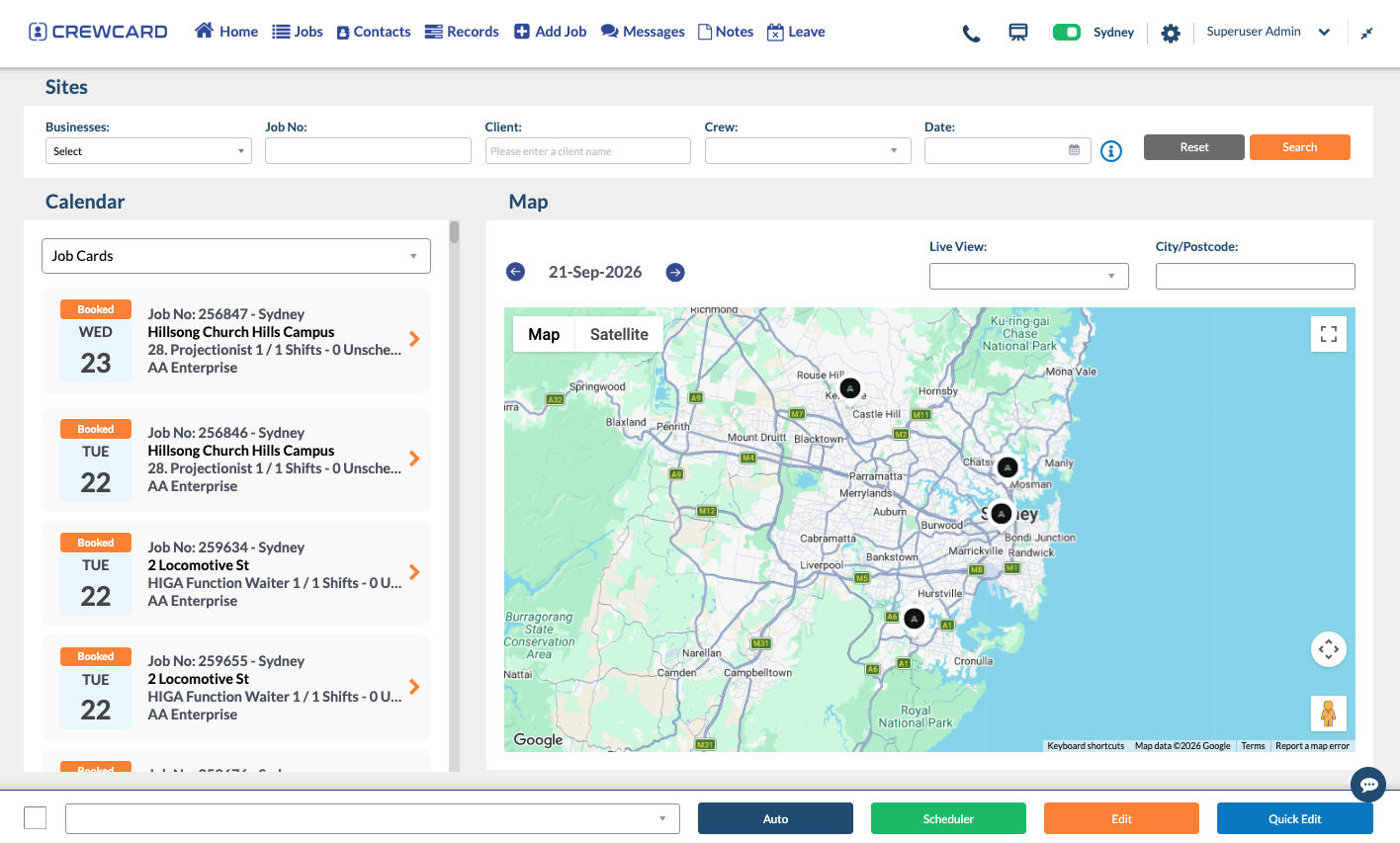
Every Shift Has Two Readiness Checks
Traffic-control scheduling is not only about who is available. Operations teams also need to know whether the worker is suitable and whether the site requirements are clear.
Can This Controller Be Sent?
Keep the information needed to assess worker readiness close to the roster rather than checking disconnected spreadsheets or folders.
Does the Worker Know What the Job Requires?
Make the operational details of the road or project site clear before the worker travels to the shift.
From Client Request to Verified Roadside Hours
Keep each step connected so operations staff can respond quickly when road conditions, client requirements or worker availability change.
Keep the Office Connected to Workers on the Road
Traffic-control teams are mobile, site-based and often working away from the people coordinating the roster. CrewCard keeps the shift information moving with them.

Location-Based Attendance
Use supported GPS and location workflows so check-in and actual worked hours remain tied to the correct site and scheduled shift.

Fast Roster Communication
Send shift offers, updates and changed job details through supported app, email and SMS communication workflows.

Worker Readiness Visibility
Keep relevant qualifications, inductions, expiry dates and worker records available before workers are allocated to a job.
Keep Safety Information Connected to the Job
Keep workers, site details and safety information connected for each traffic-control job.
For Australian guidance on traffic management and high-risk road work, see Safe Work Australia traffic-management guidance.
High-Risk Work Information
Keep relevant safe-work information connected to the job where it is required.
Keep Job Documents Together
Attach relevant traffic-management and site information to the operational workflow.
Qualifications & Expiry Dates
Keep relevant training, licences, inductions and expiry dates visible before future shifts.
Capture Site Issues
Support mobile reporting for incidents and safety issues during work.
Built Around Different Traffic-Control Work Types
The same traffic-controller workforce may move between roadworks, utilities, events and construction access jobs. Keep each job’s requirements connected to the people delivering it.
Planned Lane & Road Closures
Coordinate qualified workers, call times, site instructions and approved hours for scheduled roadworks.
Short-Duration Street Works
Allocate controllers to utility and maintenance works where locations and start times can vary frequently.
Pedestrian & Vehicle Movement
Roster traffic-control teams around event access, closures, venue traffic and changing operational windows.
Site Entry & Vehicle Movements
Coordinate controllers around project access points, deliveries, plant movements and site operating times.
Urgent Replacement Coverage
Use availability and worker-readiness information to identify suitable replacement workers when plans change.
Controllers Across Multiple Clients
Keep different clients, sites, supervisors, job requirements, worked hours and billing connected to one workforce.
Keep Roadside Hours Connected After the Shift
Once traffic-control hours are reviewed and approved, keep the same worker, client, site and shift information connected into downstream payroll and client billing workflows.
Controller Completes the Job
The work remains tied to the original client, location and rostered worker.
Worked Time Is Submitted
Capture actual hours, breaks and other relevant shift information.
Timesheet Is Verified
Review the work before it moves into payroll and client billing.
Use Approved Shift Data
Continue verified information into supported downstream workflows.
Common Questions From Traffic-Control Agencies
Answers for teams managing traffic controllers across changing road, project and client sites.
Can CrewCard manage traffic controllers across multiple road and project sites?
Can CrewCard track traffic-control qualifications, licences and expiry dates?
Can CrewCard support SWMS and traffic-management safety workflows?
Can traffic controllers check in and out from site?
Can approved traffic-control hours continue into payroll and invoicing?
Show Us How Your Traffic-Control Operation Runs
Whether you manage planned roadworks, utilities, events or short-notice traffic-control shifts, we’ll tailor the demo around your workers, sites and dispatch process.