
Cleaning Workforce Management Software for Multi-Site Teams
CrewCard is cleaning workforce management software built for teams working across multiple client sites, with early starts, after-hours shifts and changing staff availability.
CrewCard keeps recruitment, worker checks, scheduling, GPS-enabled attendance, timesheets, payroll and client invoicing connected in one workforce system.
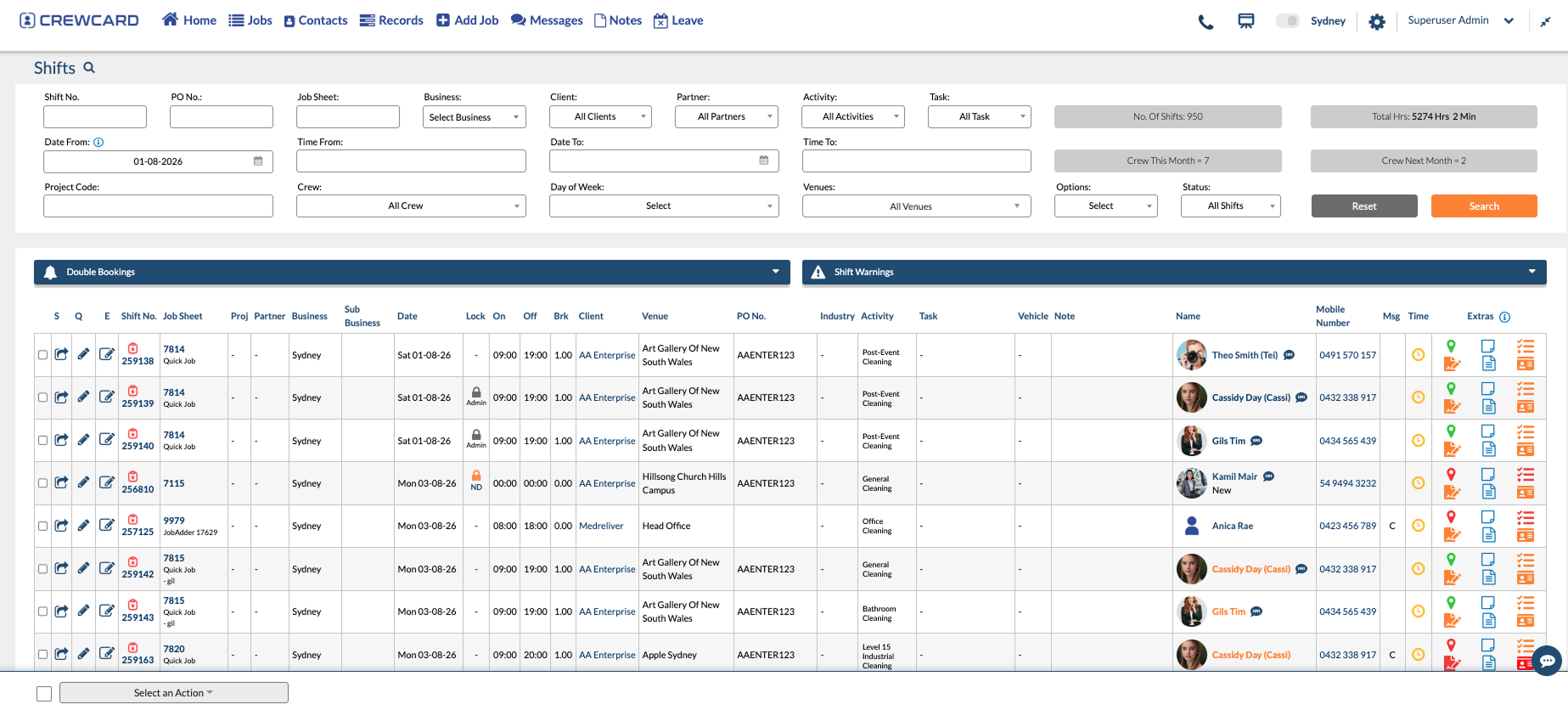
Keep Every Cleaner Connected to the Right Client Site
Contract services are often delivered across many locations rather than one workplace. CrewCard keeps site, worker and shift information connected throughout the day.
Plan Regular Site Coverage Without Rebuilding the Roster
Coordinate regular client locations, recurring shifts and cleaner availability from one workforce system.
Coordinate Cleaners Moving Between Locations
Keep mobile and relief cleaners connected to the correct site, job and shift information when work changes during the day.
Handle the Workforce Challenges Behind Every Client Contract
Client sites may be spread across a city, operate outside normal office hours and require workers with different checks or training.

Recurring Schedules
Build recurring shifts around regular contracts, site times and changing worker availability.
Multiple Client Sites
Keep cleaners connected to the correct client, location, job and scheduled shift.
Worker Readiness
Keep police checks, training, certifications and other required worker records visible.
Attendance & Hours
Keep check-in, check-out and worked hours connected to the correct client site.

Last-Minute Changes
Keep cleaners updated through supported mobile app, email and SMS communication workflows.
From Client Coverage to Approved Cleaning Hours
Keep the site, cleaner and worked hours connected from the original roster through to payroll and client billing.




Where CrewCard Fits Across Contract Services
Different cleaning contracts have different shift patterns, worker requirements and client expectations. CrewCard keeps the workforce side connected across them.
Regular Office Cleaning Crews
Coordinate recurring cleaners across office sites with early morning, daytime or evening coverage.
Cleaning Across Long Trading Hours
Manage cleaning shifts that happen before opening, throughout the day or after stores close.
Workers with Site-Specific Requirements
Keep relevant worker records and training information visible where a client site has additional requirements.
After-Hours and Site-Based Crews
Schedule cleaning workers into industrial locations where shifts may happen overnight or around operational windows.
Regular Multi-Site Cleaning Contracts
Keep cleaners, sites and recurring work organised when one contract covers several locations.
Workers Across Multiple Clients
Manage cleaners supplied across different contracts while keeping client jobs, hours and invoicing connected.
Keep Cleaning Worker Records Ready Before the Shift
Cleaning businesses may need to maintain police checks, licences, training records, inductions or other client-specific worker information. CrewCard keeps those records on the worker profile so they can be reviewed before work is assigned.
For Australian award coverage and employment conditions, refer to the Fair Work Ombudsman Cleaning Award [MA000022] .
Keep Background Records Together
Store relevant worker records so they are available when a client contract requires them.
Track Worker Training
Keep training and certification information visible on the worker profile.
See What Needs Renewal
Use expiry dates to identify worker documents that need attention before future shifts.
Review Before Assignment
Keep relevant worker information visible before cleaners are rostered to restricted work.
Mobile Check In & Out
Keep attendance connected to the cleaner, client site and scheduled shift.
GPS & Geofencing
Use supported GPS and geofencing features for site-based attendance workflows.
Site Information in the App
Give cleaners access to relevant shift, location and job information from their device.
Send Roster Changes
Keep workers updated through supported app, email and SMS communication.
Keep Mobile Site Teams Connected to the Shift
Cleaners may start before supervisors arrive, work after hours or move between different client locations. CrewCard supports mobile attendance and location-based workflows so the shift remains connected to the cleaner and site.
Keep Cleaning Work Connected to the Client Contract
For cleaning companies operating across different contracts, CrewCard keeps client records, site work, cleaners and approved hours connected.
Manage Multiple Cleaning Clients
Keep different client records, jobs and workforce information organised while operating from one system.
Connect Cleaners to the Right Location
Keep client site, shift and job information attached to the cleaning work being performed.
Use Approved Hours for Invoicing
Continue approved cleaning hours into client invoicing workflows without rebuilding the same shift information.
Keep Cleaning Hours Connected After the Shift
Once cleaner hours are reviewed and approved, CrewCard can continue the same shift information into payroll and client invoicing workflows.


Support the Teams Behind Cleaning Operations
Give operations teams, site supervisors, payroll staff and cleaners access to the part of the workforce process they need.
Operations & Roster Managers
Manage client coverage, cleaner availability and replacement shifts across multiple sites.
Supervisors & Team Leaders
Keep relevant site, cleaner and attendance information available during cleaning operations.
Payroll & Administration
Review approved hours and keep payroll, client billing and worker records connected.
Cleaning Staff
Receive shift details, access site information and use supported mobile workforce workflows.
Common Questions About CrewCard for Cleaning Services
Quick answers for cleaning businesses reviewing workforce management software.
Can CrewCard manage cleaners across multiple client sites?
Can cleaning staff check in and out through CrewCard?
Does CrewCard support GPS and geofencing for cleaning teams?
Can CrewCard track police checks, training and other cleaning worker requirements?
Can CrewCard manage recurring cleaning shifts?
Can approved cleaning hours continue into payroll and client invoicing?
Show Us How Your Cleaning Operation Runs
Whether you manage commercial cleaners, mobile teams or workers across multiple client contracts, we’ll tailor the demo around your sites, shifts and workforce process.