
HR Management Software That Keeps Every Worker Record in One Place
HR Management Software from CrewCard keeps contracts, policies, qualifications, forms and workforce documents connected to each worker throughout their employment.
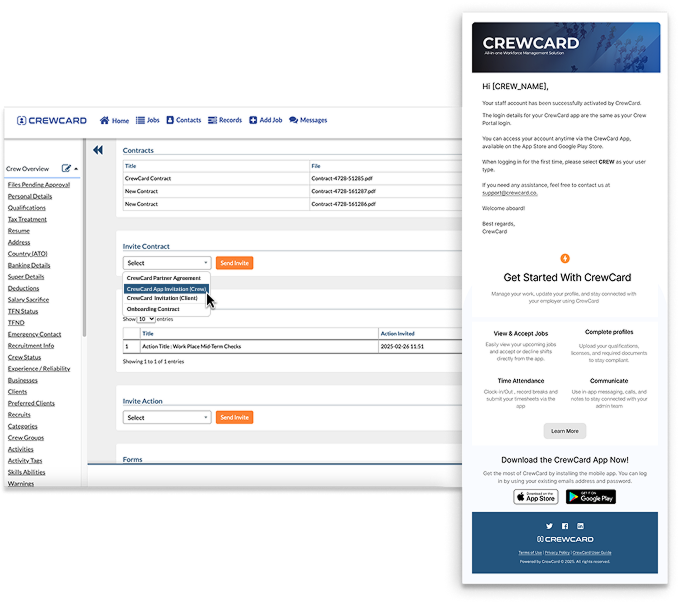
HR Management Software Built Around the Worker Record
Keep the information your operations team needs in one connected place instead of spreading employment records across inboxes, folders and separate systems.

Worker Profiles & Records
Keep employment information, documents, agreements and workforce records connected to each active worker profile.

Contracts & E-Signatures
Create reusable contracts, send them to workers for signature and keep completed agreements connected to their profile.

Company Policies
Make company policies and workforce resources available to staff so current information is easier to access.

Forms & Agreements
Create forms, acknowledgements and agreements that workers can review, accept and submit as part of their employment record.
Qualifications & Expiry Records
Keep qualification, licence, visa and identification expiry information visible against the worker record.

Document Upload & Approval
Allow workers to provide documents from their device and keep review and approval activity connected to the same record.
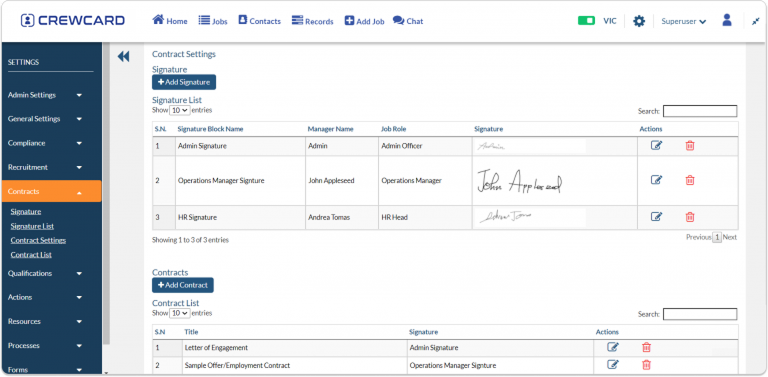
Send, Sign and Store Contracts Without the Paper Chase
Build contract templates once, use stored signature blocks and send agreements to the relevant worker when they are needed.

Policies
Publish company policies and workforce resources for staff to access from their CrewCard profile.

Agreements
Collect acknowledgements, disclaimers and other workforce agreements with an acceptance record.

Custom Actions
Require staff to review or complete important actions before progressing through selected workforce processes.
Workforce Forms
Create forms for staff to complete and keep submitted information connected with the worker.
Keep Important HR Requirements Accessible and Recorded
Give workers one place to view the policies, agreements and forms that apply to them while giving administrators a clearer record of what has been completed.
Stay Ahead of Missing and Expiring Worker Documents
Keep expiry information visible and use reminders to reduce the amount of manual follow-up required for important workforce records.
For Australian employment record-keeping requirements, visit the Fair Work Ombudsman record-keeping guide →
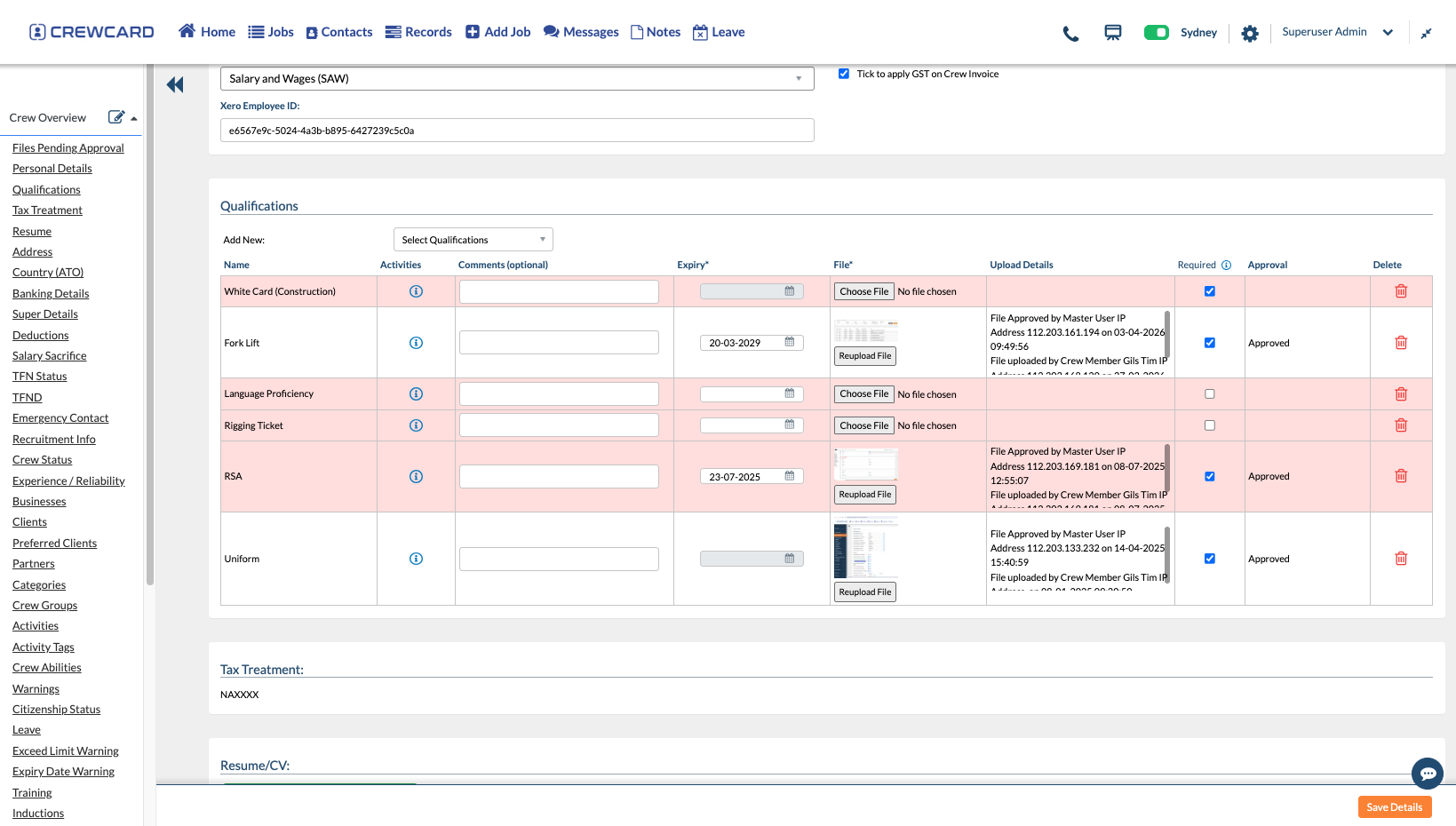
Recruitment Ends. The Worker Record Keeps Going.
Once a recruit becomes active crew, their record can continue through HR, compliance, scheduling and the rest of the CrewCard workflow.

Frequently Asked Questions
What is the difference between Recruitment & Onboarding and HR Management?
Can workers sign contracts through CrewCard?
Can workers access company policies in CrewCard?
Can CrewCard remind workers about expiring documents?
Keep Your Workforce Records Connected Beyond Onboarding
Contracts, policies, forms, qualifications and worker documents can stay connected to the same CrewCard worker record.