
Schedule the Right Crew for Every Shift
CrewCard scheduling software helps teams create shifts, review suitable crew, send job offers and build working rosters using the workforce information already held in CrewCard.
From Open Shift to Assigned Crew
Keep job requirements, crew information, shift offers and confirmations connected through one streamlined workflow.





Schedule Manually or Automate the Offer Process
Choose the level of control that fits the job. Managers can select crew directly or use automatic allocation rules to help distribute offers across suitable workers.
Manual Scheduler
Review available crew and choose who should receive each shift offer. Manual allocation gives managers direct control over who is offered, pencilled or assigned to the work.

Auto Scheduler
Use configured crew criteria to automatically send offers to suitable crew, reducing the amount of manual allocation required for larger or recurring staffing needs.

Use Workforce Information When Filling Shifts
Crew allocation decisions can use information already held in CrewCard so managers can narrow the crew list before sending offers.

Availability
Review who is available for the required work period before assigning or offering the shift.

Skills & Abilities
Use relevant abilities and workforce information to help identify crew suited to the job requirement.

Proximity
Include proximity to the job location when location matters to the allocation decision.

Rank & On-Call Status
Use ranking and on-call information as additional criteria when deciding which crew should receive an offer.
Build the Shift Before You Send It Out
Job Sheets keep the work details and required shifts connected. Once the shift requirement is ready, managers can open the Scheduler and begin allocating crew.

Schedule Related Work Without Repeating the Same Steps
When several shifts need to be handled together, CrewCard can bring them into a merged allocation workflow and keep crew communication connected to the offer process.
Merge Scheduler
Group multiple shifts into the scheduler where appropriate, making it easier to handle several pieces of work together instead of processing each shift separately.

Send Shift Offers Through the Channels Your Crew Use
Crew allocation is connected to communication so job offers and updates can move directly from the scheduler to workers.
Review Scheduled Work After the Roster Is Built
Review scheduled jobs and shifts in operational views that help managers understand upcoming work, crew coverage and day-to-day workforce activity.
Calendar View
Review scheduled jobs by date so managers can understand upcoming workforce activity at a glance.

Shifts View
Review shifts across the system and quickly see where crew have been assigned or confirmed against the required work.

Keep Scheduling Decisions Connected to the Workforce Record
A connected scheduling system is most useful when the roster is connected to the people, requirements and operational details behind each shift.
For practical guidance on work hours, shift design and fatigue risk, see Safe Work Australia .
See Open and Filled Work
Review upcoming shifts and identify where crew still need to be allocated before the job begins.
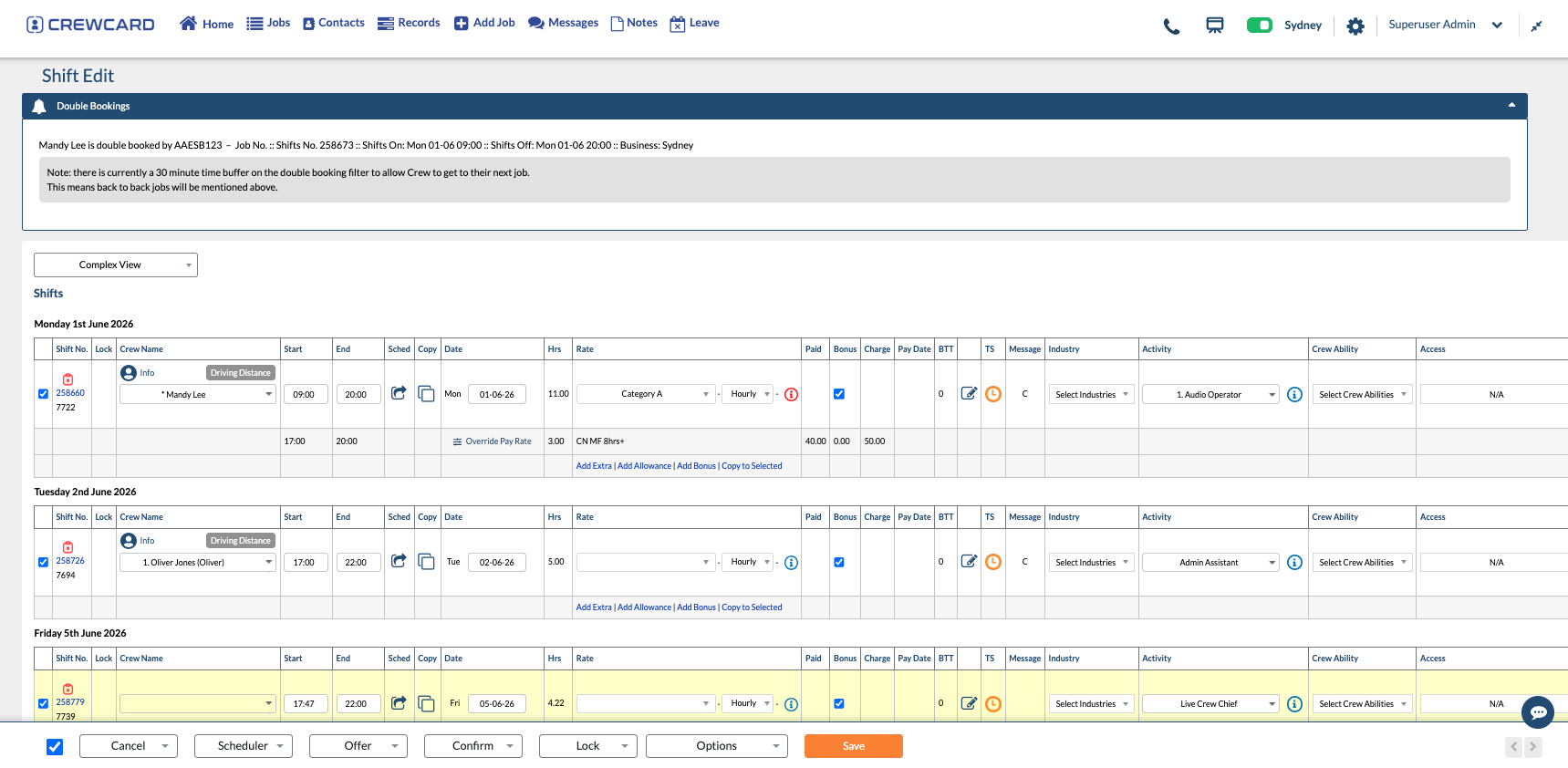
Identify Shift Conflicts
CrewCard can surface conflicting bookings so managers have more information when reviewing crew assignments.
Continue Into Timesheets
Once the shift is worked, the scheduled record can continue into attendance, timesheets and approval without rebuilding the job information.
Common Questions About Workforce Scheduling
Quick answers about creating shifts, sending offers and assigning crew with CrewCard.
What is workforce scheduling software?
Can CrewCard schedule staff automatically?
How can CrewCard send shift offers?
Can several shifts be scheduled together?
Can managers review scheduled work in different views?
See How CrewCard Would Schedule Your Workforce
Show us how your team currently creates shifts, allocates crew and manages last-minute changes. We’ll tailor the demo around your shift planning workflow.