
Healthcare Staffing Software Built Around Worker Readiness
Healthcare teams need more than an available worker. CrewCard keeps availability, qualifications, shift allocation and worked hours connected so your team can see who is ready before making an assignment.

Start with Readiness, Not Just Availability
An open shift is only useful if the worker assigned to it is available and has the records required for that role or client. CrewCard keeps those checks closer to the scheduling decision.
Open Shift
Client, site, time and role requirements.
Check Availability
See which workers are free for the shift.
Review Readiness
Check qualifications and required records.
Allocate Worker
Assign the right worker to the shift.
Approve Hours
Move completed work into approval.
Keep Worker Records Visible Before You Roster
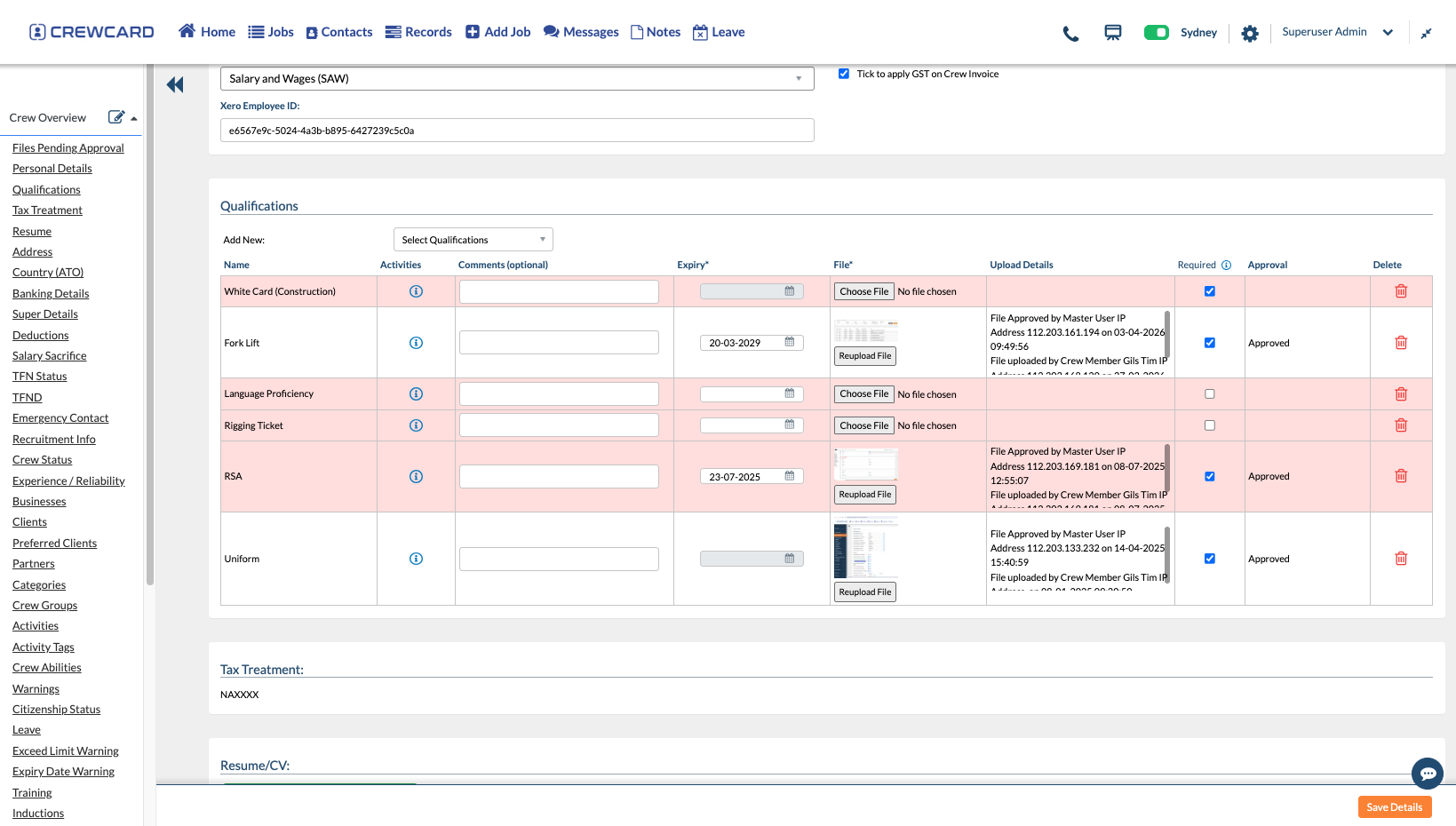
Care teams often need to manage role-specific documents and qualifications before a worker can be assigned. CrewCard keeps those records on the worker profile and can track expiry dates for important requirements.
For official practitioner registration information, visit Ahpra.
Built Around the Pressures Staffing Teams Manage
Workforce operations need visibility across open shifts, worker readiness, changing availability and client requirements.

Open Shift Coverage
See availability and allocate workers when client shifts need to be filled or replaced.

Qualification Checks
Keep required qualifications and worker records visible before confirming an assignment.

Multiple Clients & Sites
Keep client jobs, facilities, contacts and related shift information connected.

Worked Hours
Keep completed shifts connected to submitted and approved hours for later processing.
Different Staffing Models, One Connected Workforce Record
CrewCard can support internal care teams and recruiters supplying workers across multiple clients, facilities and shifts.
Workers Across Multiple Clients
Manage a flexible workforce across different client jobs while keeping availability, qualifications and approved hours connected.
Fill Shifts with Ready Workers
Review availability and relevant workforce records before allocating staff to changing shift requirements.
Keep Shift Coverage and Worker Records Together
Coordinate shift-based workers while keeping qualification and documentation requirements visible to the staffing team.
Coordinate Workers Across Different Locations
Keep site details, client requirements, workers and shifts connected when teams operate across more than one location.
Keep Completed Shifts Moving
Once the shift has been worked, keep actual hours connected to the original job. Review the timesheet before moving approved hours into payroll and client invoicing workflows.




The CrewCard Tools That Support Shift-Based Staffing
Once the staffing workflow is clear, CrewCard brings the supporting workforce tools into one connected platform.

Recruitment & Onboarding
Collect worker details, onboarding information and required workforce records.
Compliance & Qualifications
Keep qualifications, documents and expiry dates connected to the worker profile.

Workforce Safety
Support worker check-in, incident reporting and safety-related workforce processes.

Payroll & Invoicing
Keep approved shift information available for downstream pay and client billing workflows.
Give Each Part of the Staffing Team the Right View
Different teams need different information. CrewCard keeps the worker record connected while allowing each part of the operation to focus on its own task.
Schedulers & Allocators
Review open shifts, availability and worker information when allocating staff.
Compliance & HR Teams
Manage worker records, qualifications, documents and expiry dates.
Payroll & Administration
Review approved hours and keep payroll and invoicing workflows connected.
Care Staff
Receive shift information, use the mobile app and keep workforce details available in one place.
Questions Care Teams Ask About CrewCard
Quick answers about staffing, worker readiness and connected workforce operations.
How does CrewCard help teams fill open healthcare shifts?
Can CrewCard store worker qualifications and compliance records?
Can staffing agencies manage workers across multiple healthcare clients?
Can approved hours continue into payroll and invoicing?
Show Us How Your Staffing Operation Works
Whether you manage an internal care workforce or supply staff across multiple clients, we’ll tailor the demo around worker readiness, shift coverage and your approval process.